Front-end development / Product design
Fugleblikk — Explore birdlife in norway
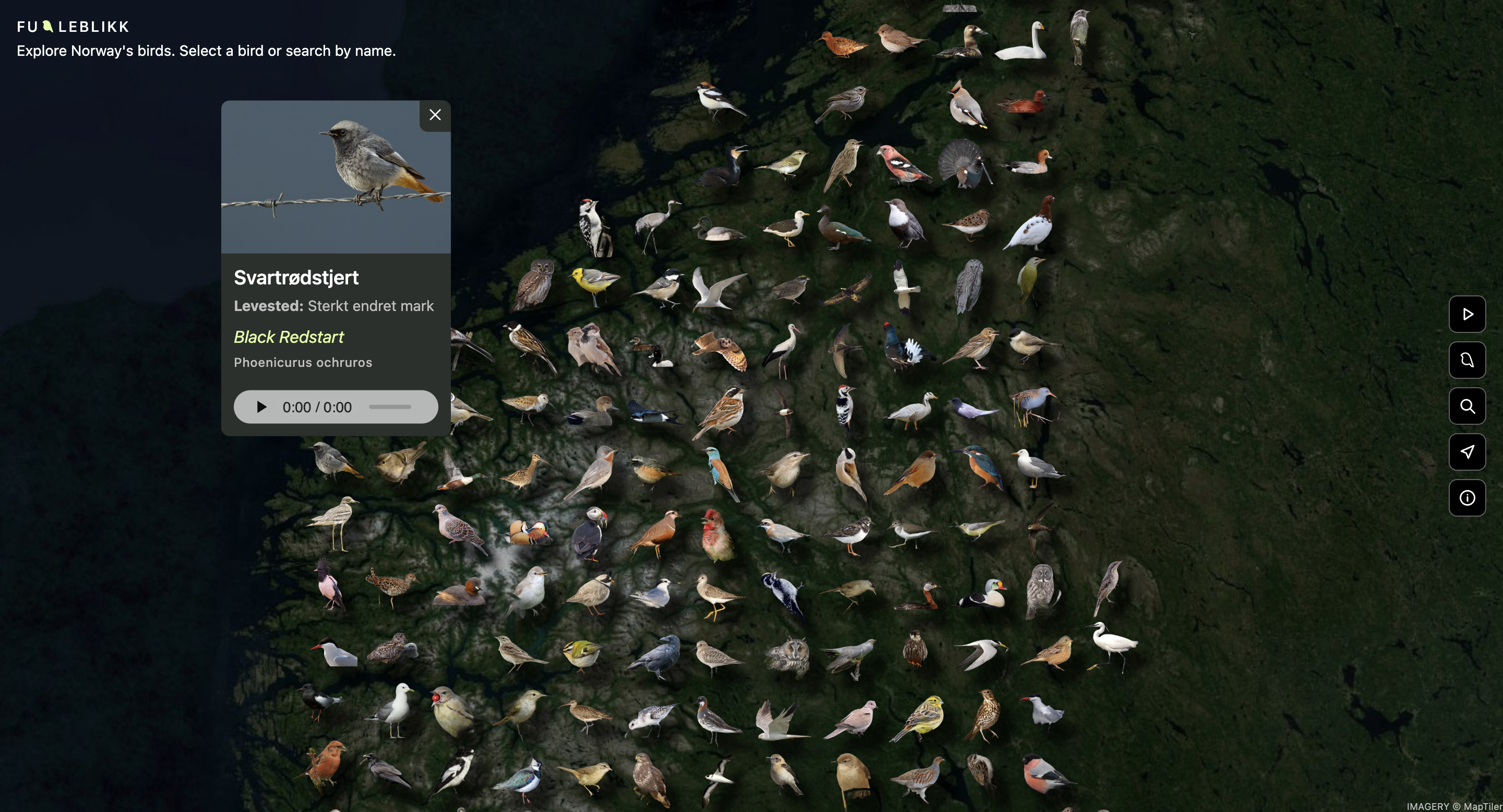
An interactive globe that turns Norway's bird observations into a visual invitation to explore, listen, and learn.
- Project
- Personal project
- My role
- Product design & front-end development
- Built with
- Next.js, React, TypeScript, MapLibre
From an open assignment to a hobby project
Fugleblikk began as a school assignment to build a website where users could search for information from an API. I saw an opportunity to combine my love of nature, biodiversity, and data visualization into a way to explore the birdlife around us.
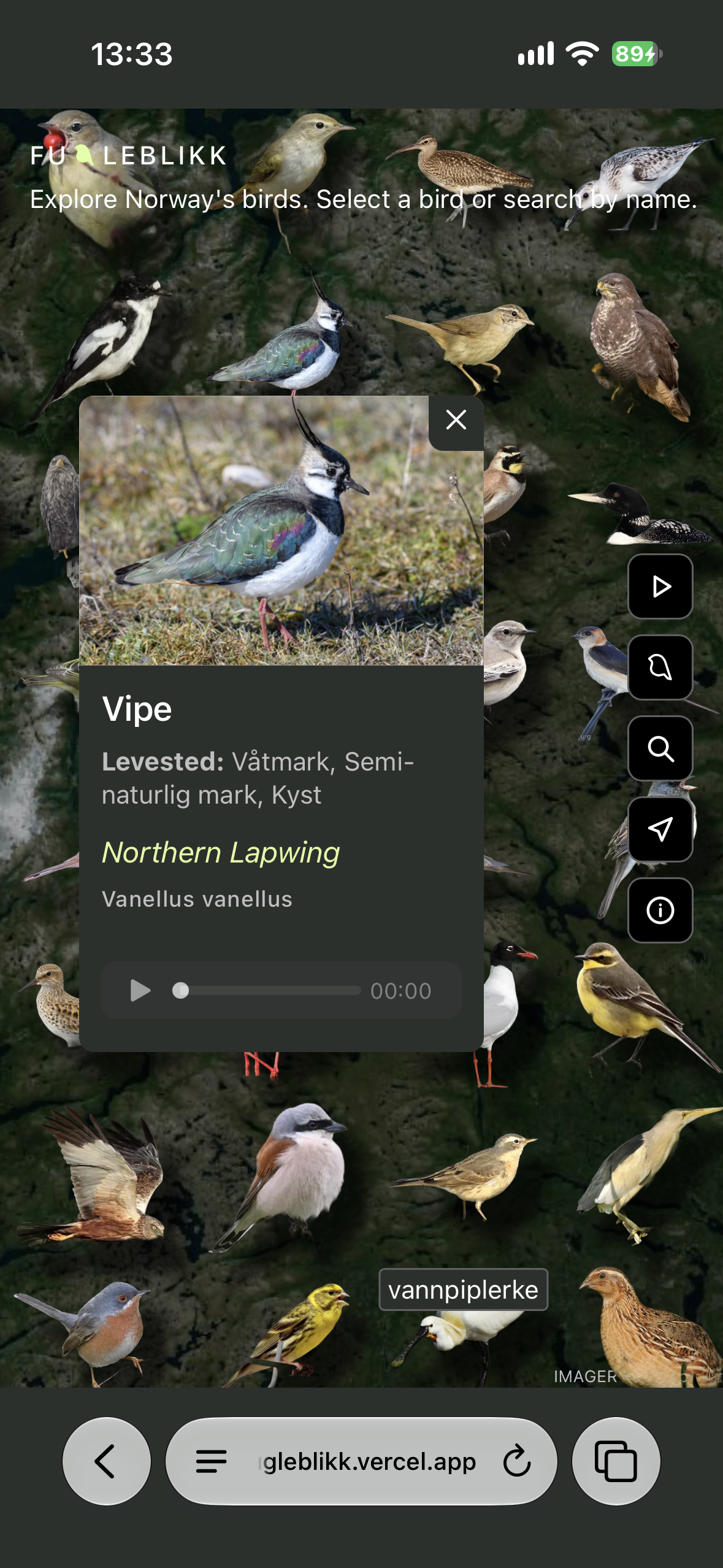
Inspired by the geographic exploration of Radio Garden and Earth Nullschool, I imagined bird photographs forming a living mosaic across Norway. Rather than needing to know a bird's name before searching, visitors could start with its shape, listen to its call, and discover where it had been observed. That idea grew into a personal project: making Norway's birdlife easier to explore through sight, sound, and place.
Connecting the data before building the map
I started with the data each bird would need. Artskart supplied observations from Norway, and Artsdatabanken's Artsnavn helped me match synonyms and subspecies to one accepted species ID. I then added English names and photographs from iNaturalist, recordings from Xeno-canto, descriptions from Wikipedia, and habitat information from Artsdatabanken.
Before introducing a map, I tested the API results in a simple collection of bird cards. This let me check species matching, missing photos, and playable recordings separately from the map logic. With the cards working, I used Python and rembg to remove photo backgrounds and generate bird cutouts.
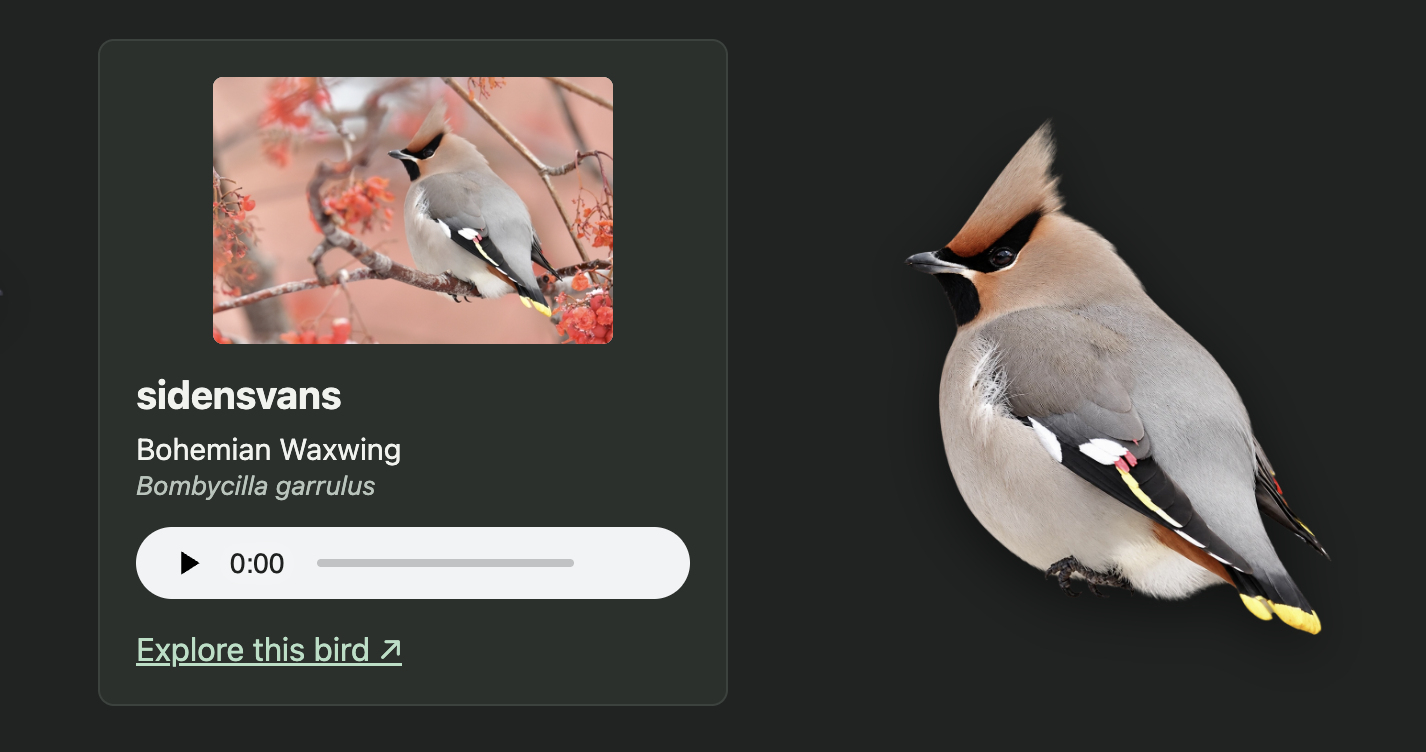
The collection also needed a clear rule for inclusion. I kept each species' latest usable observation from the previous twelve complete calendar months, checking its date and location. I used each species' official ID to avoid listing the same bird twice under different names.
Placing birds on a map
I then introduced MapLibre for the interactive globe and MapTiler for satellite imagery. Exact observation coordinates made birds overlap, so I assigned them to grid positions while minimizing their total distance from the recorded locations. This made the mosaic readable, with a tradeoff: the cutouts represent the collection, not precise sighting locations.
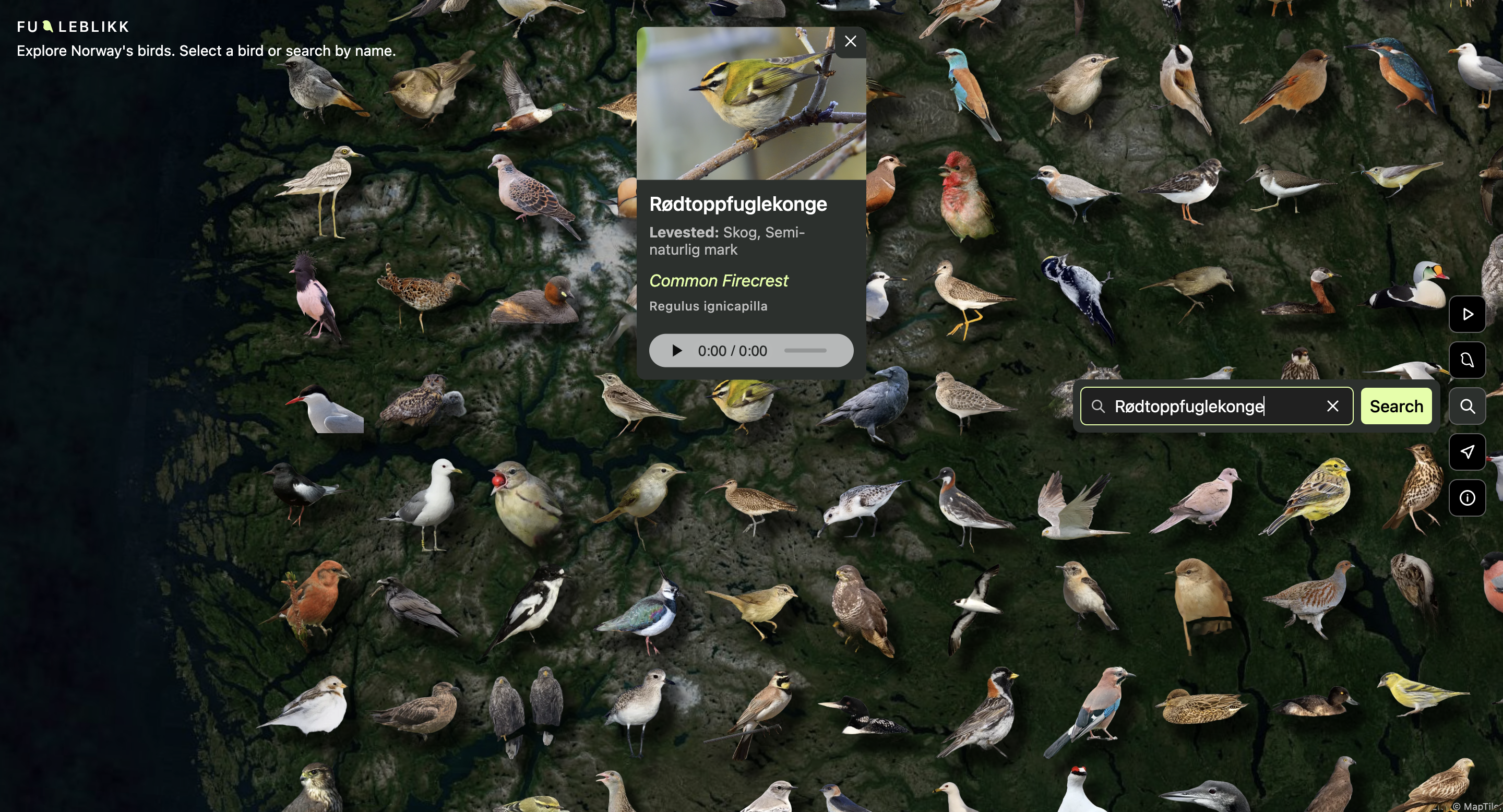
I kept search and map selection connected to the same bird card. A search result moves the map to its bird, rather than introducing a separate results view.
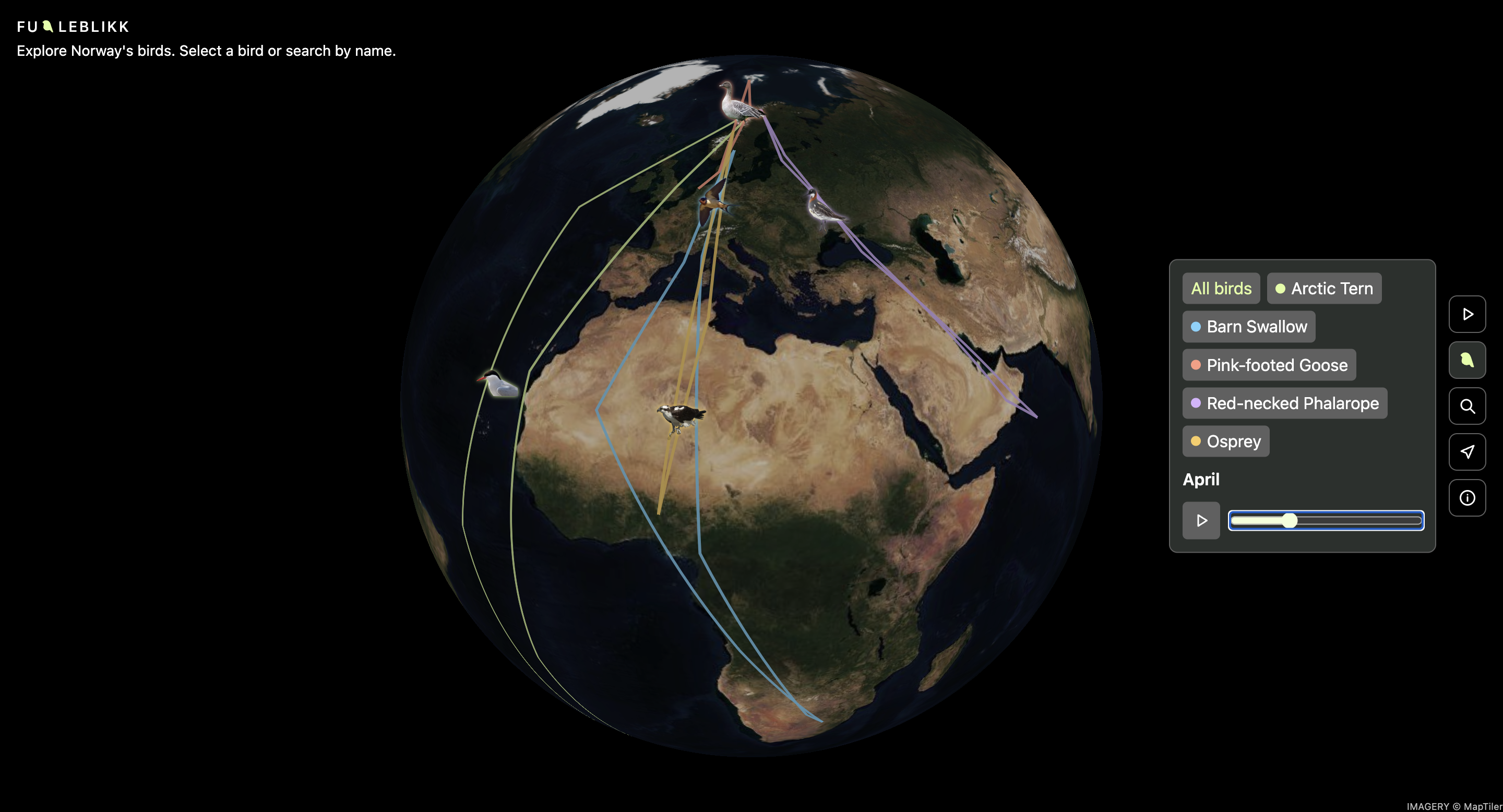
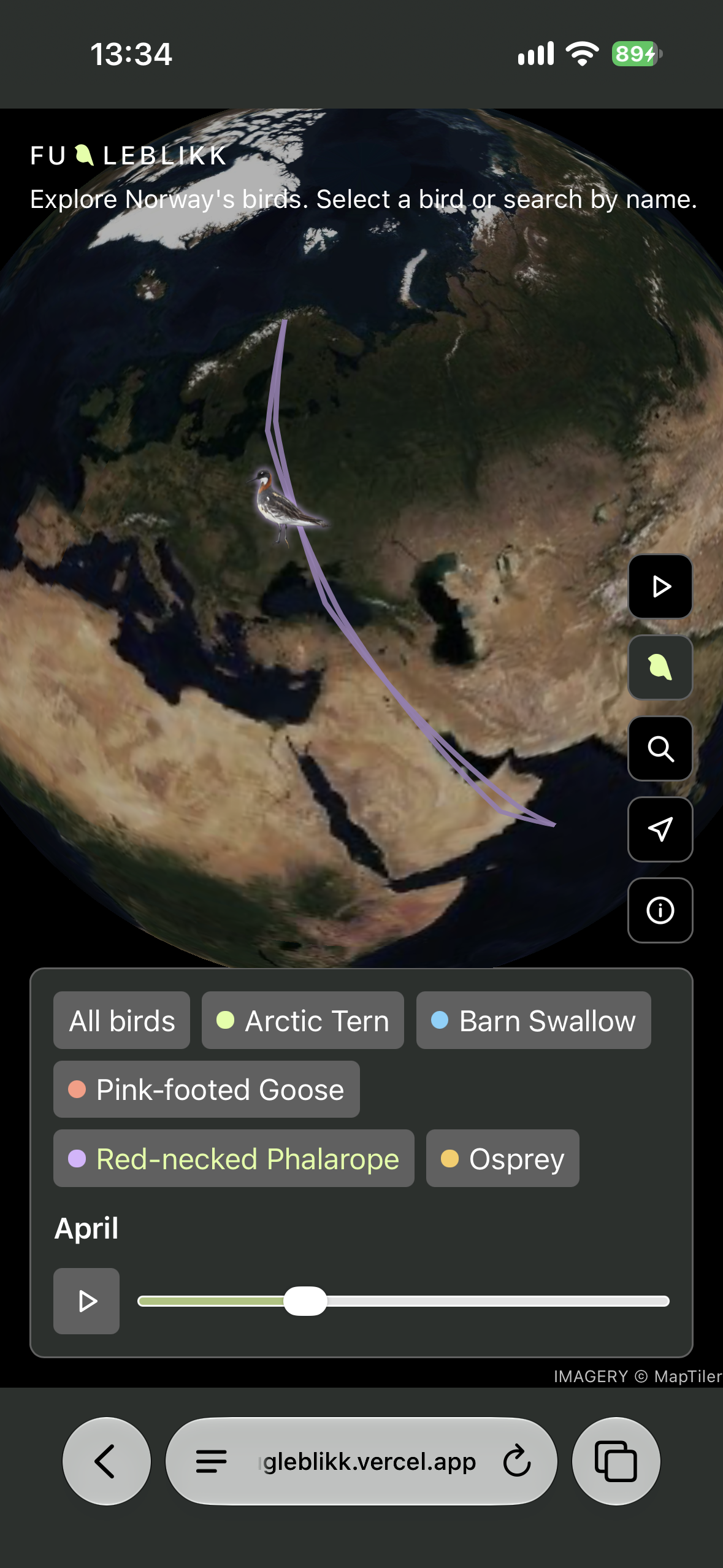
Five illustrative migration routes extend the experience beyond Norway. Visitors can follow one bird or compare routes through a monthly timeline. These are simplified seasonal journeys, not live tracking.
Separate preparation from browsing
Fetching records, matching species, and generating cutouts do not need to happen on every site visit. I moved those work into a monthly GitHub Actions workflow, saving a JSON snapshot and local WebP cutouts. Next.js reads that collection and prepares map positions; React and MapLibre handle interaction in the browser.
01 / Monthly preparation · GitHub Actions
- External sourcesArtskart + Artsdatabanken / ArtsnavniNaturalist, Wikipedia, Xeno-canto
- Node.js + PythonValidate, resolve species, enrich mediaRemove backgrounds with rembg
- Prepared assetsJSON observation snapshotLocal WebP bird cutouts
Saved collection read by the application
02 / Browsing the site
- Next.js serverRead snapshot · assign map slotsRender species detail routes
- React + MapLibreGlobe · bird markers · preview cardsSearch · audio · migration controls
Requested when needed: search through the API route; MapTiler satellite tiles, remote photos, and audio from their providers.
Prepare once, load media when needed
The preparation script reuses existing cutouts. Photos and recordings stay with their providers, and audio players use no preload, keeping media downloads out of the initial page load.
Give React and MapLibre clear responsibilities
MapLibre manages the globe and markers, while React manages selection and controls. A portal renders the React bird card inside a map popup. Refs keep map instances across renders, and effect cleanup removes markers and listeners when they are no longer needed.
The problems that taught me the most
A Norwegian name broke its page
During testing, the failed page for “ismåke” exposed a URL-handling mistake. I fixed it by encoding names in links, decoding route parameters before matching. This taught me how to handle URL parameters consistently across different languages.
A partial refresh must not replace good data
My monthly GitHub Actions workflow validates and builds the updated collection before replacing the saved data. A scheduled run failed when Artsdatabanken returned HTTP 403 during a habitat lookup. I updated the error handling to treat habitat as optional, so a failed lookup leaves that field empty and the workflow can continue.
Search results can arrive in the wrong order
An older search result sometimes replaced a newer one because its request took longer to finish. I fixed this with a request counter so only the latest search updates the results.
Making room for exploration on mobile
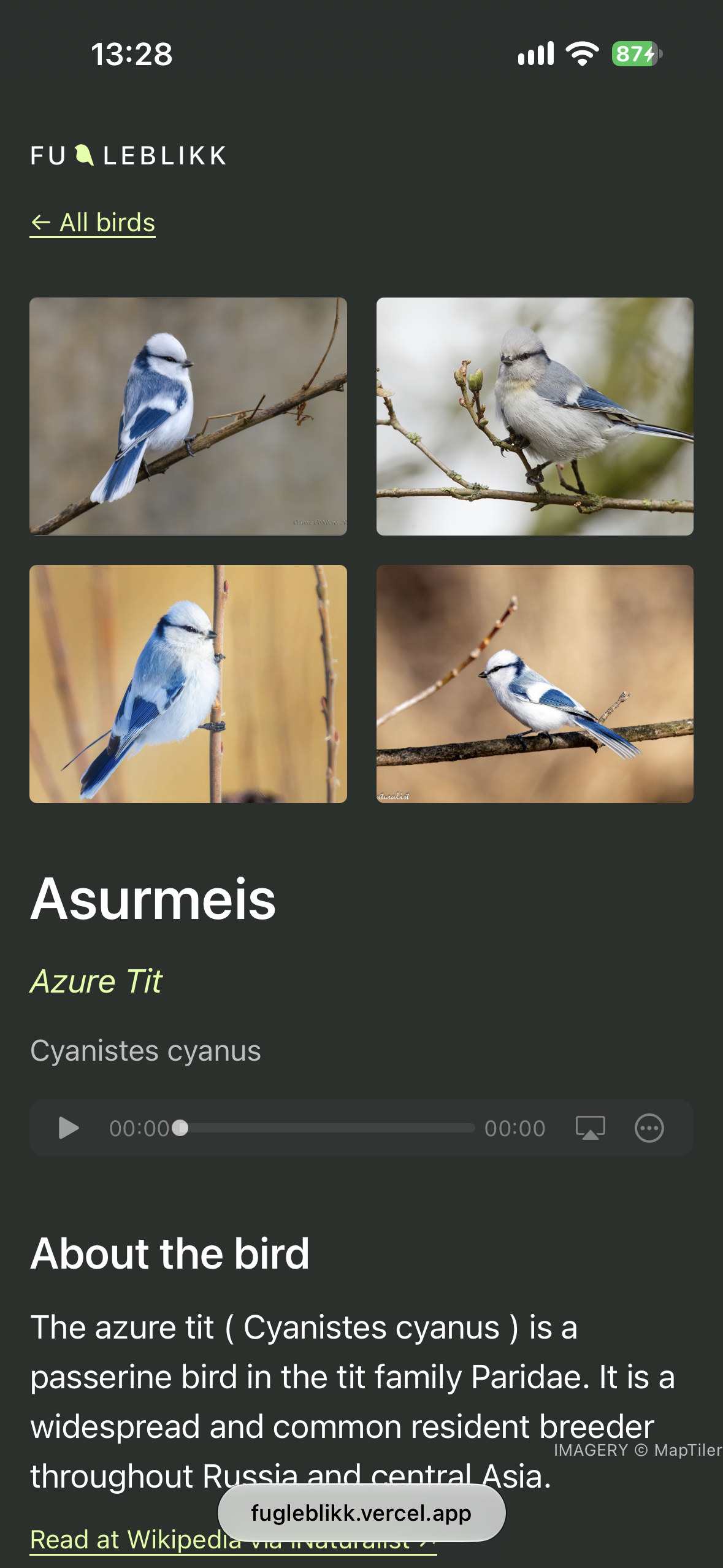
The mobile layout keeps the same journey, with a compact bird preview and rearranged photo gallery. Migration controls move below the globe on smaller screens, giving the map and timeline their own space.
Final thoughts
Fugleblikk grew from a school assignment into something I enjoy using myself — I put on the mixed bird sounds when I want a little zen time! From ideation to API testing, from visual experimenting to software structuring, from data preparation to error handling, I learned how each decision shaped the next.
There are still limitationsin this project. Search needs an exact Norwegian or English name and only returns birds in the saved collection. The grid moves some birds away from their recorded locations, and the migration routes are illustrations, not live tracking. Photos, descriptions, and recordings can be missing or temporarily unavailable, including during Xeno-canto maintenance. The globe requires WebGL2.
Overall, this project gave me hands-on experience with the full product development process, and I'm excited to bring what I learned into my next project.